

You know the drill. You've knocked out a job, you're back in the ute, and you've got ten minutes before the next callout. You open your phone, think you should post something for the business, then stare at the blank screen long enough to feel guilty about it. By Thursday, the page's gone quiet again, even though you've been flat out the whole week.
That's usually where what is content batching starts to matter. It gives you a way to treat social posts like any other part of the job, planned, grouped, and sent out on schedule, instead of trying to force marketing into the cracks between site visits.
Table of Contents
- The Problem Most Tradies Hit Every Week
- What Content Batching Actually Means
- Why It Works So Well for Time-Poor Tradies
- A Simple Batching Workflow You Can Run Between Jobs
- A Real Example of a Fortnight of Posts in One Block
- A Batching Checklist and Scheduling Tips That Stick
- Making It Stick and What to Use to Get Started
The Problem Most Tradies Hit Every Week
You finish the last task, wash your hands, and tell yourself you'll get a post up before you head home. Then a customer rings, the sparky next door needs a hand, or the next job starts early and the whole thing gets pushed. That's how most tradie pages end up with a burst of posts, then nothing, then another rushed post that sounds like it was written in the cab while waiting for parts.
That pattern isn't a motivation problem. It's a workflow problem.
One 2026 guide says creators can batch 20–30 posts in 2–4 hours instead of scrambling daily, and estimates that this can save 10–15 hours per month compared with ad hoc production. That batching workflow guide is aimed at creators generally, but the same logic lands hard in trade work because the day never stays still for long. When you're moving between callouts, quoting, and site work, daily posting turns into a constant interruption.
Practical rule: if posting only happens when the day is quiet, it probably won't happen often enough to stay consistent.
That's why owners start looking for a better rhythm. They don't need another app to babysit. They need a way to get a week or two of content ready in advance, so the business keeps showing up online even when the ute's already loaded and the diary's already packed.
See how behind-the-scenes content fits into a tradie workflow
What Content Batching Actually Means
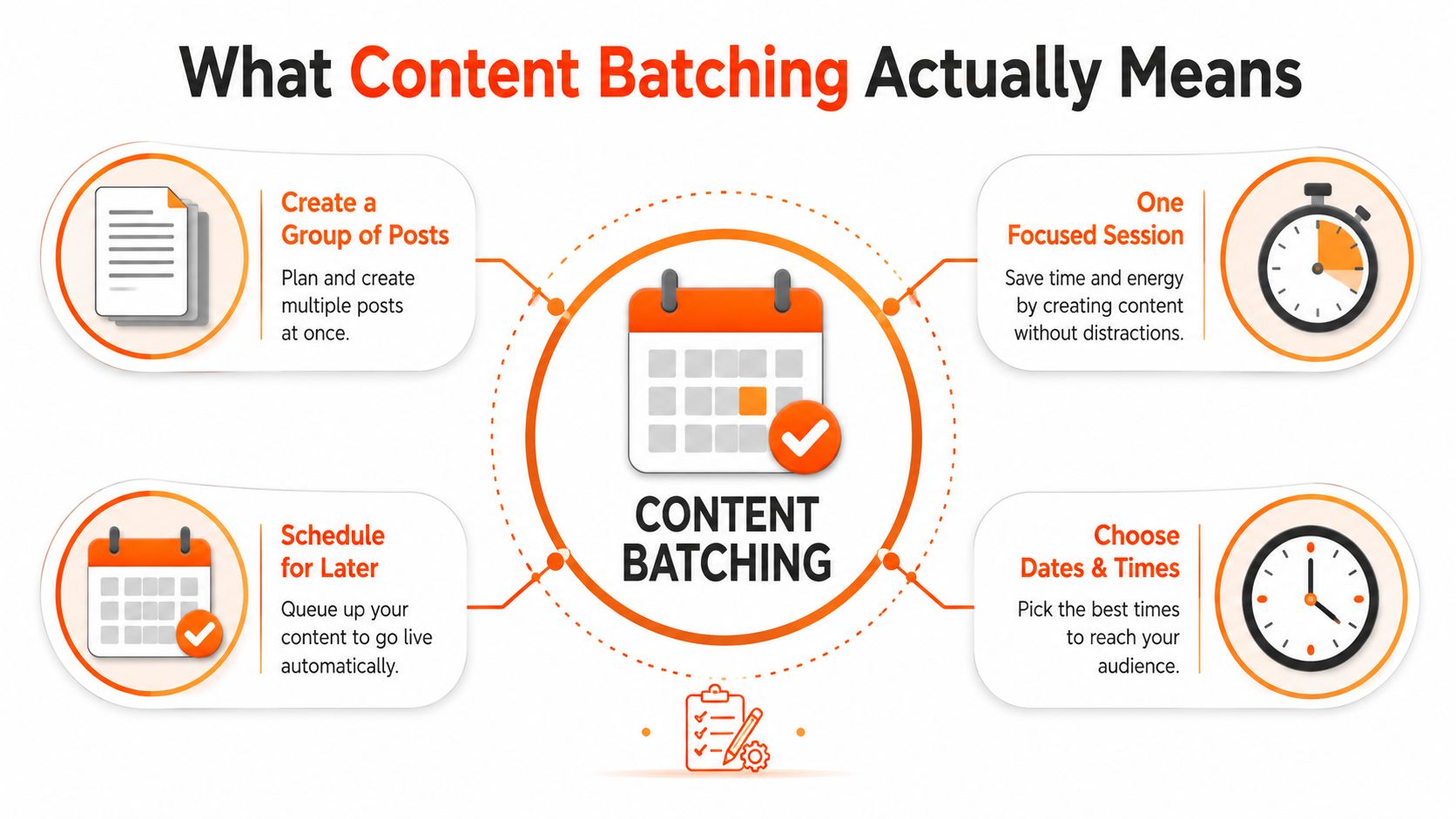
Content batching is simple. You make a group of posts in one focused session, then schedule them to publish later on the dates and times you choose.
Packing up gear for a few jobs before Monday starts. You're not setting up from scratch every time someone calls. You've already grouped the similar tasks together, so the work moves faster and with less back-and-forth.
For social media, that usually means ideation, creation, editing, and scheduling happen together rather than as tiny interruptions spread across the week. A guide from Sprout Social describes batching that way, and the reason it works is the reduction in context switching. Their 2026 batching guide is clear on the point, group the work, reduce the switching, keep the process steady.
Production first, publishing second
The useful way to think about batching is this. First you produce the posts. Then you load them into a content calendar with exact dates and times. The calendar becomes the bridge between the work you've done and the posts that go live later.
That split matters for tradies because the day on site is unpredictable, but the posting plan doesn't have to be. If the week blows up, the content still goes out.
What happens inside one batch
A workable batch usually has a few parts:
- Pick the topics. Use real jobs, common customer questions, before-and-after work, and service reminders.
- Write the captions. Keep the copy tied to what you do, not broad generic filler.
- Make the visuals. Use photos, graphics, or short clips that match the post.
- Schedule the queue. Load everything into the calendar with the dates and times already set.
A good batch isn't about cramming in more. It's about doing each type of task once, properly, instead of starting over every time.
For trade businesses, that shift is the whole point. Batching turns posting from a daily interruption into a planned production cycle, which is a much better fit for a week full of site visits, quote runs, and last-minute fixes.
Why It Works So Well for Time-Poor Tradies
The biggest win is obvious once you've tried it. You stop losing your best thinking time to tiny marketing jobs. Instead of writing one post, choosing one photo, and hunting for one caption idea every few days, you knock out a whole run of content in one stretch and get back to billable work.
That helps in three ways that tradies feel straight away.
First, the mental load drops. You're not carrying the question of “what do I post today?” around in the back of your head. Second, the profile stays active even when the job site gets messy. Third, the content starts looking more consistent because you're seeing the posts side by side before they go live.
The practical upside is steady visibility. People scrolling in your local area see a business that looks alive, current, and present, not one that only posts when someone remembers to do it.
Useful test: if a busy week can knock your page offline, your current posting setup is too fragile.
Use AI-assisted content creation built for trade businesses
The key reason batching suits tradies is that it respects how work happens. You can create the content when you've got a quieter pocket, then let scheduling tools carry the posting load when you're buried in the day. That's a better trade-off than trying to be creative on demand between two different jobs and a missed phone call.
It also means you're less likely to post something half-baked. When you batch, you can take one clean set of photos, write sharper captions, and check the whole queue before it goes out. That usually beats trying to improvise a post while standing in the driveway with a tradie coffee going cold.
A Simple Batching Workflow You Can Run Between Jobs
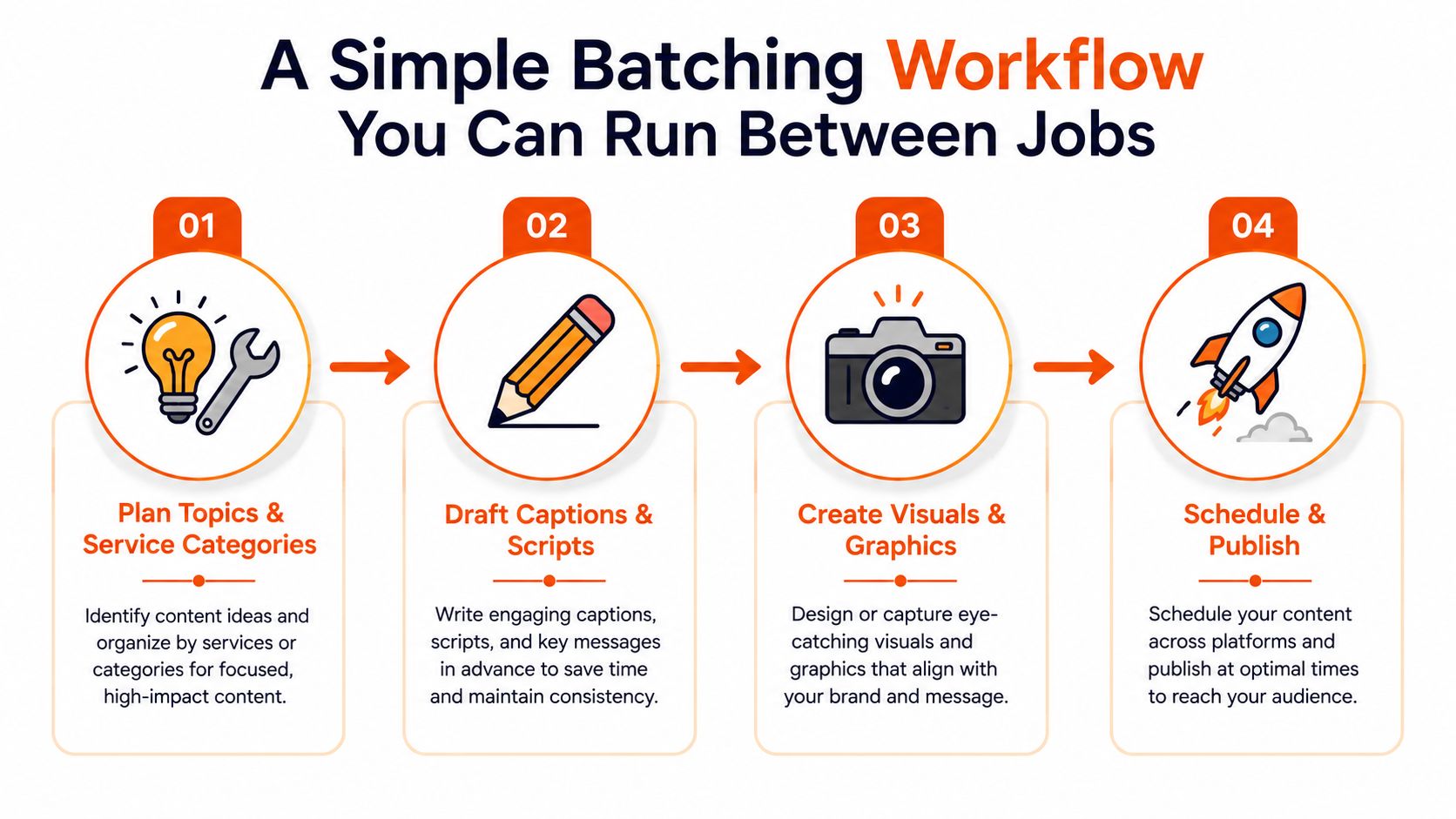
A workable batching setup doesn't need a full free afternoon. It needs separate stages you can chip away at whenever the day gives you a gap. One guide recommends starting with a 1-week to 2-week batch window, then using templates, content pillars, and time tracking to estimate what you can realistically produce next time. That batching method guide lines up well with trade work because it keeps the load small enough to survive interruptions.
Break the work into stages
Run the batch in four parts.
- Plan topics and service categories. Pull ideas from recent jobs, customer questions, seasonal work, and common issues.
- Draft captions and scripts. Write the words first while the ideas are still warm.
- Create visuals and graphics. Use job photos, quick phone shots, or simple branded graphics.
- Schedule and publish. Load everything into the calendar and set the times in advance.
If you get pulled away halfway through, you're still making progress. That's the advantage of splitting the work apart. A 20-minute gap between jobs is enough to draft a caption, tidy an image, or queue a post.
Keep the batch small at the start
Don't try to build a month of content on day one. Start with a two-week run and learn how long each stage takes. Templates help here because they reduce decisions. A caption about a recent install, a service reminder, or a customer question should not feel like a fresh writing task every time.
A simple timer also helps. Track how long planning, writing, editing, and scheduling really take, then use that to set your next batch size. That makes the workflow fit your week instead of forcing your week to fit the workflow.
If you want a practical rhythm, this is a decent structure for a small trade business:
- Short planning block when you've got a quiet half-hour.
- Writing block when the ideas are already set.
- Visual block when you can get photos or create graphics without rushing.
- Scheduling block once the queue is ready.
A Real Example of a Fortnight of Posts in One Block
A plumber clears a Friday afternoon and uses it to line up two weeks of posts. Nothing fancy. He opens the notes app on his phone, pulls together recent jobs, common questions, and a few service reminders, then turns them into a plain content list he can work through in bursts.
The idea list does most of the heavy lifting. One post comes from a tap replacement, another from a blocked drain callout, another from a question a customer asked about water pressure. The posts work because they come from real jobs, not generic “another busy day” captions.
He writes the captions in one pass, then sets aside another block to get the photos ready. That keeps the writing from stopping every time an image needs a crop or a tidy-up, and it stops photo work from breaking the flow of the copy. Once the assets are ready, everything goes into the scheduler and the next two weeks are covered.
Some guides recommend batching content in 4–8 week windows, and keeping a two-week posting buffer to help cover holidays, sick days, and interruptions. That broader batching guidance fits if you've got a stable routine, but the plumber example works because it starts smaller and stays realistic for a week that can change fast.
A week later, he's on site most days and doesn't need to think about posting. The queue keeps moving in the background, and the page still looks active. That's the part many new batchers miss, it's not just about saving time on the day, it's about closing the gap between busy work and visible marketing.
Good batching feels quiet. You do the work once, then let the posts run while you get on with the jobs that pay the bills.
A Batching Checklist and Scheduling Tips That Stick
Use a simpler post format built for professional trade pages
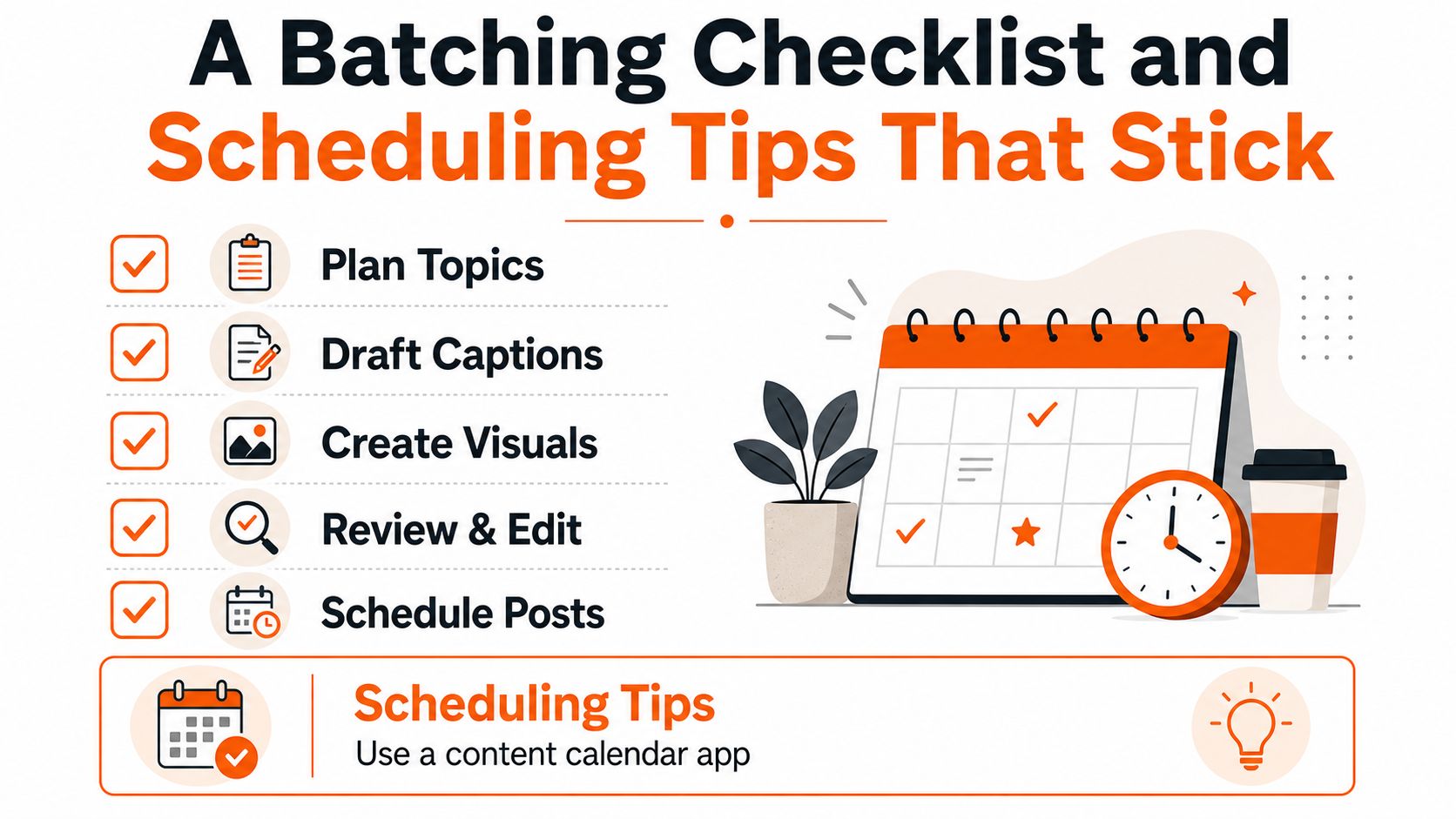
Batching checklist
- Plan topics. Pull from recent jobs, FAQs, service areas, and before-and-after work.
- Draft captions. Write the words while the examples are still fresh.
- Create visuals. Use job photos, graphics, or short clips that match the post.
- Review and edit. Check spelling, clarity, and whether the post sounds like your business.
- Schedule posts. Load them into the calendar with dates and times already set.
The scheduling part matters more than many realize. Teams should populate a content calendar with exact dates and times, then choose posting slots strategically because platforms have data-driven ideal posting times. That scheduling guidance is the piece that stops batching from turning into a pile of prepared posts that never go out.
A good habit is to end each batch by checking what felt easy and what dragged. If drafting took ages, tighten the templates. If image prep slowed everything down, make the visual format simpler next time. That's how you build a rhythm that survives a busy week instead of collapsing the first time you get called back to site.
Making It Stick and What to Use to Get Started
The cleanest version of this is simple. Content batching turns marketing from a daily interruption into a planned block of work, so your profiles stay active while your day stays focused on the jobs in front of you.
A newer line of thinking says the question isn't how to batch more, it's what the smallest batch size is that still keeps you consistent without creating a backlog you hate looking at. That smaller-batch approach suits owner-operators because it respects the interruptions that come with trade work.
Start with a two-week test. Keep the stages separate, use templates where you can, and lean on tools that remove the writing and design grunt work. If you want the simplest path to steady posting without adding more admin to your week, GrowTradie is built for tradies who need content planned, designed, and posted without having to wrestle with it between jobs.