

You finish a callout, eat lunch in the van, check the next address, and the day is gone. Then you remember you still need something to post.
That is why behind-the-scenes content works for tradies. You do not need staged shoots or polished ads. The job already gives you the material. A quick progress clip, a tool choice, a fault you found, or a tidy handover photo can show customers how you work before they ever call.
Customers are looking for proof. They want to see that you turn up, keep things clean, explain the problem, and fix it properly. They also want to know who is coming to their property. Real job content answers those questions faster than generic sales posts.
This guide is built as a copy-and-post playbook. Each idea is practical. You will get simple ways to capture it between jobs, what equipment to use, and caption angles you can post without overthinking it. If you already use digital tools to run jobs and organise photos, these apps for plumbing business owners can make content capture easier as part of your normal workflow.
The goal is simple. Build trust, stay visible, and turn the work you already do into marketing that helps win the next job.
Table of Contents
- 2. 2. Team Member Spotlights
- 3. 3. Tool and Equipment Mastery
- 4. 4. Problem-Solving and Diagnostics
- 5. 5. Customer Success Stories
- 6. 6. 'What to Expect' Seasonal Content
- 6. 6. 'What to Expect' Seasonal Content
- 8. 8. A Look at Business Operations
- 9. 9. Modern Upgrades and Solutions
- 10. 10. Local Community Involvement
- 10. 10. Local Community Involvement
- Behind-the-Scenes Content: 10-Point Comparison
- Make Your Work Your Best Marketing Asset
2. 2. Team Member Spotlights
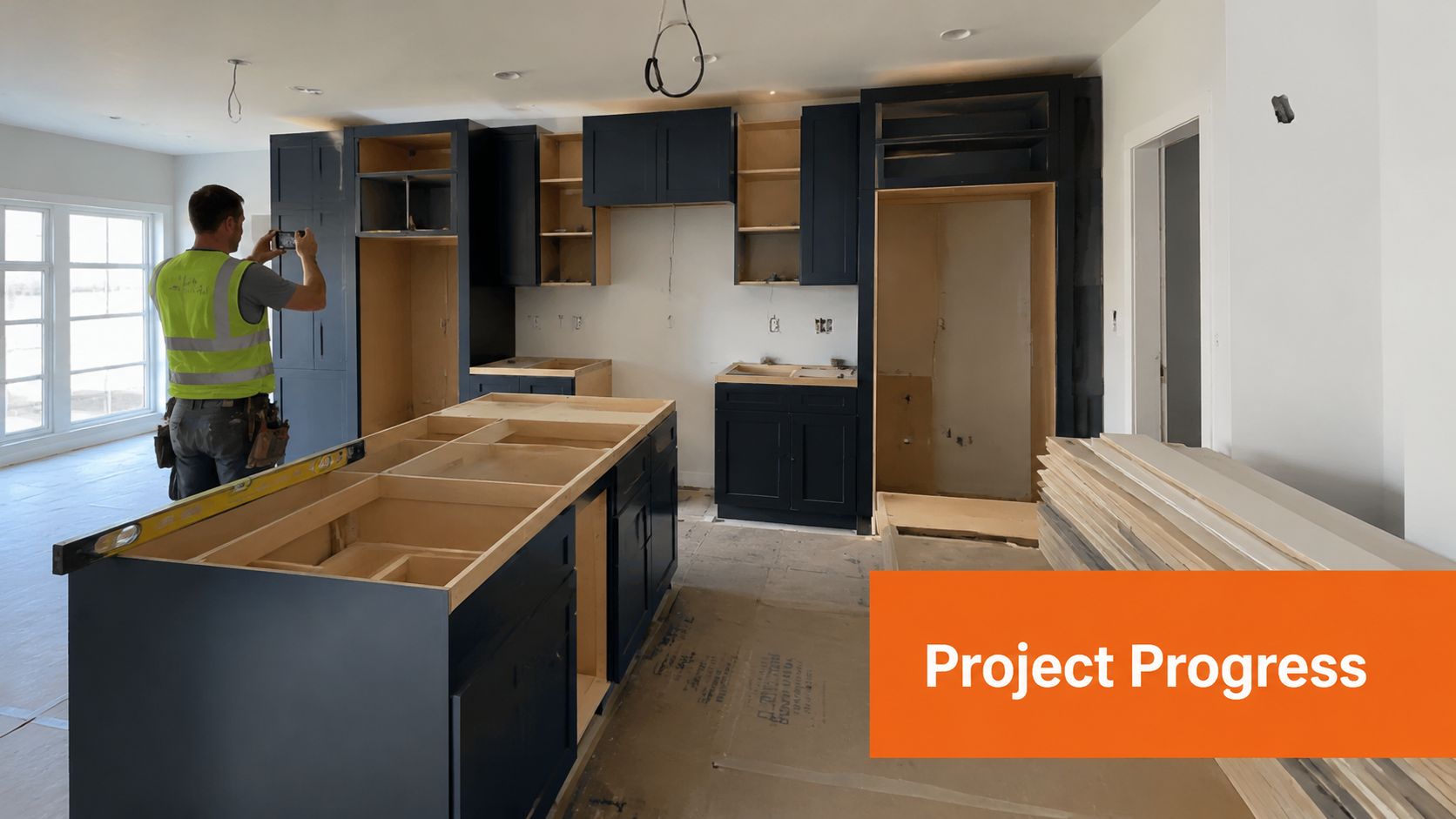
A customer finds your business online, likes the photos, then checks your socials. If all they see is finished jobs, they still do not know who is turning up at their house. A quick team spotlight fixes that fast.
People hire the crew as much as the company name. A short clip of your apprentice, office manager, lead chippy, or service tech makes the business feel real. It also answers a question customers care about: who is coming onto my property?
Keep these videos plain. No script. No forced jokes. Ask one clear question, film the answer in 15 to 30 seconds, and post it with a simple caption. If someone freezes on camera, have them answer while doing a task with their hands. That takes the pressure off and gives you better footage.
This works well for trades with clear roles and progression. A plumbing business can spotlight a senior tech talking through neat pipework standards, then feature an apprentice explaining what they are learning on the job. If you want a useful reference point for that career path, this guide on how to become a master plumber helps explain the experience behind that title.
Simple interview prompts that work
Ask questions your team can answer in one breath.
- Best prompt: "What do customers usually not realise about this job?"
- Easy prompt: "What's one thing you check every time before you finish?"
- Good culture prompt: "What do you like about working on this crew?"
- Skill prompt: "What separates a quick fix from a proper fix?"
- Apprentice prompt: "What's something you've learned this month?"
Copy-and-post setup
Use this simple format:
- Film vertically on your phone.
- Stand near good light or face the open roller door.
- Keep background noise down for 20 seconds.
- Frame chest-up.
- Get one answer, then stop.
If the site is loud, skip talking-to-camera and record the job first. Add the team member's words as text on screen later.
Caption template:
"Meet [name], our [role]. One thing they want customers to know: [short quote]. This knowledge ensures [plain benefit]."
Equipment note:
A phone is enough. A cheap clip-on mic helps in workshops, on roadside jobs, and near running plant. If you do not have one, step closer and keep the speaker facing the phone mic.
Done well, these posts build trust without much effort. Done poorly, they look staged and waste time. Keep them short, use real language, and film one team member each fortnight so the job stays manageable.
3. 3. Tool and Equipment Mastery

A customer sees a van full of gear and assumes you know what you're doing. Trust goes up faster when you show why one tool gets used instead of another. That turns "they turned up with equipment" into "they had a method."
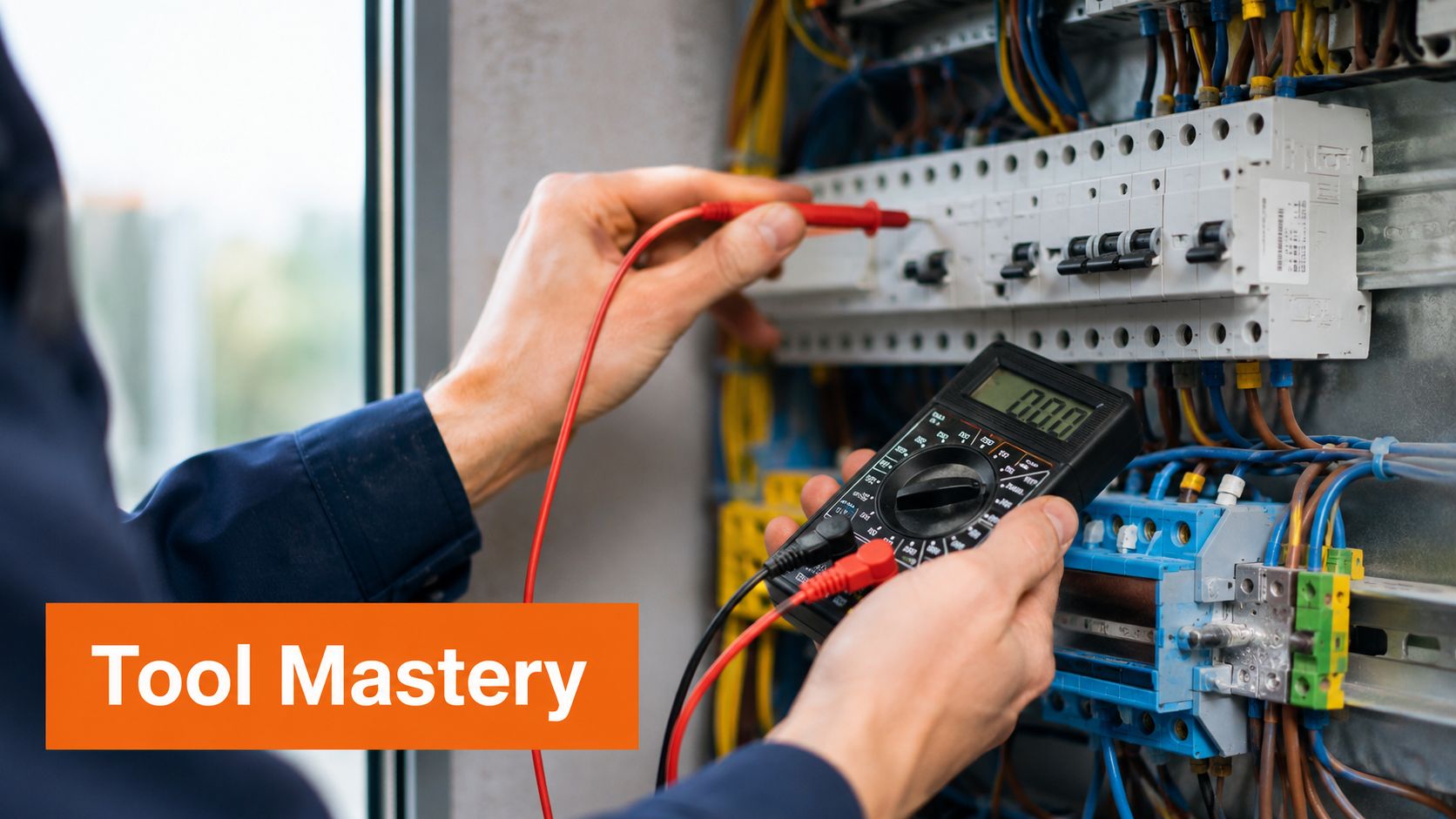
The post is not about showing off expensive kit. It is about explaining the decision behind the job. A sparkie can show how a multimeter confirms what the circuit is doing before any repair starts. A plumber can film a drain camera finding the blockage instead of guessing. A chippy can show why one blade is right for a clean finish and another is better for rough cuts.
Keep the explanation tight. Name the tool. Say what it checks or changes. Then say what that means for the customer, such as fewer callbacks, less mess, cleaner cuts, or a faster diagnosis.
Film the decision point
The best time to make this content is right before you use the tool.
Use this simple format:
- Hold the phone vertical.
- Get a close shot of the tool in your hands.
- Record one sentence on what you are checking.
- Record one sentence on why this tool is the right choice here.
- Show the result on screen if the tool gives one, such as a reading, image, or finished cut.
Keep it to 15 to 30 seconds. That is enough to prove you work with care without turning it into a lecture.
Copy-and-post examples
These captions are easy to reuse between jobs:
- Electrician: "Checking this circuit with a multimeter before we replace anything. It tells us what is actually happening, so we fix the fault instead of guessing."
- Plumber: "Using an inspection camera to confirm the blockage location first. That means less digging, less mess, and a clearer repair plan."
- Carpenter: "Different blade for a different result. This one gives a cleaner finish on visible timber, which saves rework later."
Equipment notes
A phone is enough for this. Good light matters more than fancy gear.
If the screen reading is hard to see, move closer and tap to focus. If the site is noisy, record the tool footage first and add text on screen later. Do not film anything unsafe just to get content. If two hands are needed for the task, stop filming and get the job done properly.
Done well, these posts make your standards visible. Customers remember clear explanations and careful process. That helps you stand out from tradies who just say, "Trust me."
4. 4. Problem-Solving and Diagnostics
You get called to a house because the lights keep tripping, the drain keeps backing up, or one room never heats properly. The fault usually isn't the first thing the customer sees. Your value is finding the underlying cause and explaining it in plain English.
That makes diagnosis content worth posting.
It shows customers why skilled work costs more than guesswork. It also helps the next customer understand what they're paying for before they call.
Film the clue that led you to the answer. Show the burn mark, water stain, failed fitting, pressure reading, warped section, or blocked line. Then explain what it means and what you did next. Keep the language simple. Customers do not need trade terms. They need a clear chain from problem to cause to fix.
Simple format to record on site
Use this three-part structure:
- Problem: "Customer reported lights tripping in the back half of the house."
- Cause: "Testing showed an overloaded circuit and a loose connection with heat damage."
- Fix: "We isolated the fault, repaired the connection, and tested the circuit before putting it back into service."
That structure works because it is easy to follow and easy to film between jobs.
What to capture
A short diagnosis post only needs a few clips:
- Start with the symptom the customer noticed.
- Get one close shot of the actual fault or reading.
- Record one sentence explaining the cause.
- Record one sentence explaining the repair or next step.
- End with the result, such as restored flow, stable power, better airflow, or a straightened frame.
Keep it to 20 to 40 seconds. Long videos lose people.
Copy-and-post caption templates
Use these as written or swap in the job details:
- Electrician: "Customer had repeated tripping on one circuit. Testing showed a loose connection and heat damage. We repaired the fault and tested the circuit properly before re-energising."
- Plumber: "Drain kept blocking up, so we checked the line instead of guessing. Camera inspection showed the blockage point clearly, which meant a cleaner repair plan and less mess."
- HVAC tech: "One room was not getting enough airflow. We checked the duct run and found a restriction that was choking performance. Fixed the issue, then tested airflow again."
Equipment notes
A phone is enough for this. A small tripod or clamp mount helps when you need a steady close shot.
If the site is noisy, film first and add text on screen later. If the camera struggles to focus, move closer, slow down, and tap the fault on screen. Never film while doing anything that needs both hands or full concentration. Safety comes first.
Good diagnosis posts do one job well. They show that you solve the right problem before you start replacing parts. That builds trust fast.
5. 5. Customer Success Stories
You finish a job. The customer looks at the camera and says the old problem is gone, the place was left tidy, and they would call you again. That clip does more than a polished ad. It shows real work, a real result, and a real person putting their name to it.
That is why customer success posts pull weight. They help the next customer see what it is like to hire you. They answer the questions people have. Did you turn up. Did you explain the issue. Did the fix last. Was the job worth the money.
Keep these stories specific. "We had no hot water for two days and it was sorted that afternoon" beats "great service" every time.
What to capture after the job
The easiest format is short and simple. Aim for 15 to 30 seconds.
Get three parts:
- The problem they had before the job
- What you did that helped
- The result after the work was finished
If the customer freezes on camera, ask one question at a time and let them answer in their own words.
Use prompts like these:
- "What was going wrong before we arrived?"
- "What did we fix or install for you?"
- "What is better now?"
- "Would you recommend this to someone with the same issue?"
One honest sentence is enough.
Copy-and-post caption templates
Use these as written or swap in the job details:
- Plumber: "Customer had no reliable hot water and needed a fix fast. We replaced the failed unit, tested everything properly, and got the system running again the same day."
- Electrician: "This customer was dealing with repeated power issues that were affecting daily use. We traced the fault, carried out the repair, and tested the circuit before handover."
- Builder or renovator: "The client needed this area finished properly so the space was safe, usable, and ready for family life again. We completed the work, walked them through the result, and handed over a clean site."
Equipment notes
A phone is enough. Stand near a window or outside for clean audio and better light. Hold the phone still or use a small tripod from the van.
If the customer does not want to be on camera, use a written review with permission. Film the finished result and add the review as text on screen. You can also record a voice note while showing the completed job.
Always get approval before posting anything tied to a customer's home, business, name, or street number.
A good success story is easy to make between jobs. It gives you proof of the result, words you can post as a caption, and a steady stream of trust-building content without guessing what to say.
6. 6. 'What to Expect' Seasonal Content
A cold morning hits, and the phone starts ringing. Frozen pipes. Tripping circuits. Air conditioners that did not get serviced before the first hot week. That is why seasonal content works. It answers the question customers ask every year: what should I check before this turns into a job?
Keep these posts practical. Show what changes with the season, what tends to fail, and what a simple check looks like. The goal is to help people prepare early and remember who to call if they find a problem.
How to make this content between jobs
Pick one seasonal issue you see every year. Film a quick clip at the workshop, in the van, or on a job where the customer has given approval. Keep it to 20 to 40 seconds.
Use this simple structure:
- Name the season or weather shift
- Point out the common issue
- Show one or two checks
- Say when it is time to call a pro
Examples:
A plumber shows exposed pipework and explains what to insulate before a cold snap.
An electrician points out circuits that struggle during heavy summer appliance use.
An HVAC tech films a filter check and outdoor unit clean-up before peak season.
A carpenter shows timber, seals, or external fixings worth checking before wet weather.
Copy-and-post caption templates
- Plumber: "Cold weather is when we start seeing more issues with exposed pipes and older hot water systems. A quick check now can save a bigger repair call later."
- Electrician: "Summer load puts more pressure on tired circuits. If lights are flickering, breakers are tripping, or power drops under load, get it checked before the hottest weeks hit."
- HVAC tech: "Before the next hot spell, check filters, airflow, and the outdoor unit. Small maintenance jobs now can stop bigger breakdowns later."
- Builder, carpenter, or roofer: "Wet weather finds weak points fast. This is a good time to inspect external timber, seals, flashing, and drainage before damage sets in."
Equipment notes
Use your phone. Film in daylight. If you are outside in wind, get closer to the mic and keep the message short. A cheap tripod or phone clamp in the van helps if you want a steadier shot.
Do not overproduce it. One clear tip filmed well beats a long video nobody finishes.
Field note
The best seasonal post goes up before the rush starts. That gives customers time to act, and it puts your business in their head before they need to book.
Seasonal content is one of the easiest posts to plan ahead. Build a short list for summer, winter, storm season, and holiday periods. Then reuse the same format each year with updated footage from real jobs.
6. 6. 'What to Expect' Seasonal Content
Seasonal posts work because they match what people are already worried about. Cold snaps. Summer load. Wet weather. Holiday shutdowns. Filter changes. Outdoor exposure.
The mistake is making these posts sound like a scare campaign. Better seasonal content is calm, useful, and timed early enough to matter. You're helping people prepare, not trying to panic them into a booking.
A better way to frame seasonal posts
Lead with what changes in that season, then show what you check.
Examples that work:
A plumber explains how colder weather affects exposed pipework.
An electrician explains why high summer appliance demand can expose weak circuits.
An HVAC tech films a quick pre-season system check.
A carpenter points out external timber areas worth inspecting before rough weather.
One broad industry signal supports this format. The global content marketing industry is projected to grow by 33% by 2026, according to Salesgenie's content marketing statistics. The bigger takeaway for a tradie is simple. Useful, non-traditional content is only getting more important, and seasonal advice fits that shift well.
Field note: The best seasonal post is the one you publish before customers feel the problem, not after your phone is already flat out.
Caption template:
"Season change is when we start seeing more [issue]. A quick check of [component or area] can help avoid bigger problems later. If something already seems off, get it looked at before it turns into a larger repair."
8. 8. A Look at Business Operations
A customer calls at 7:15. They want to know one thing before they book. Will you turn up organised, on time, and ready to work?
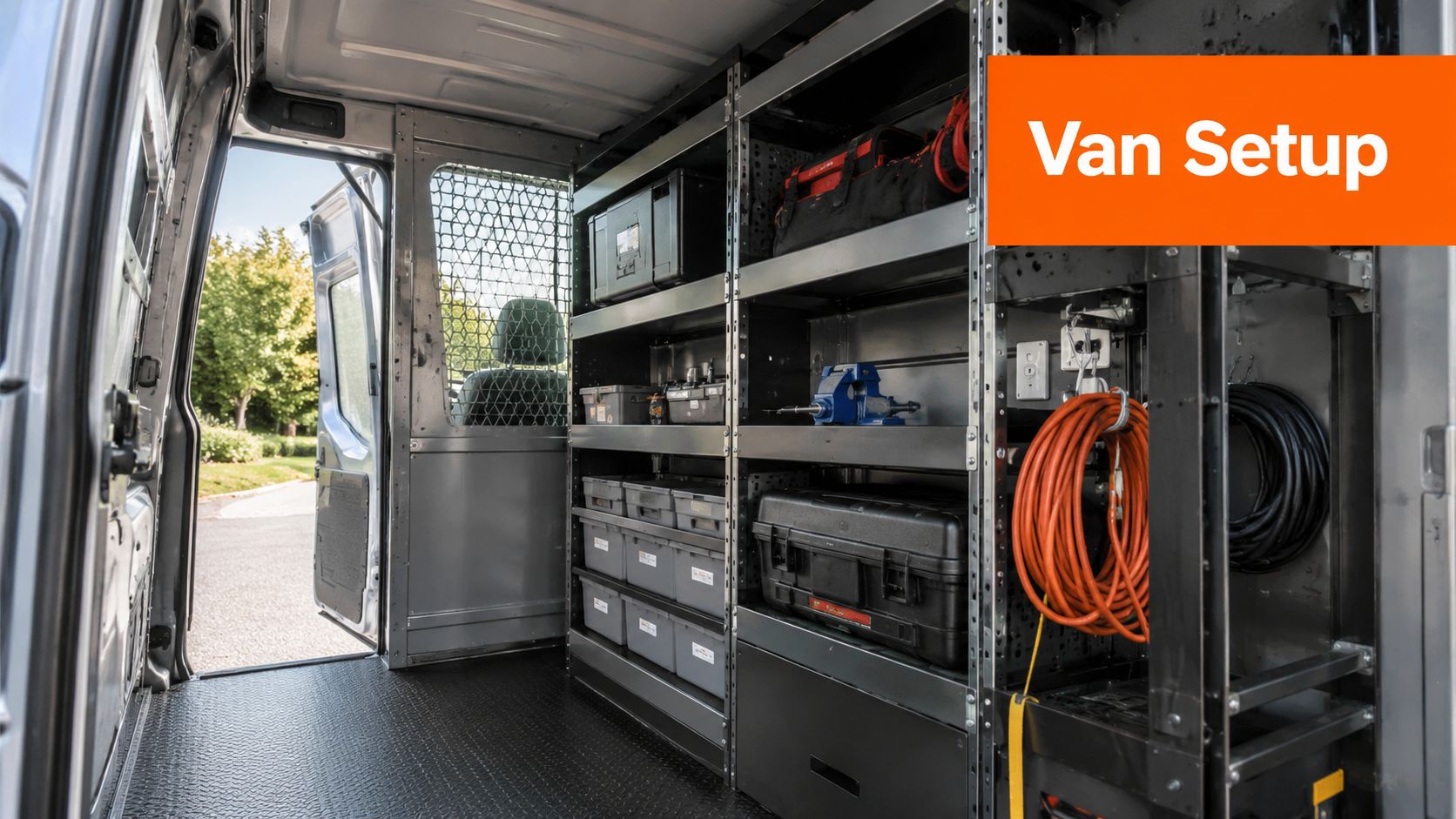
Operations content answers that before you ever step on site. Show the parts of the job that make the service run properly. Van setup. Stock control. Safety checks. Quote follow-up. Job scheduling. These posts build trust because they show how you prevent delays, not just how you fix problems.
Keep it practical. Film the systems that help you do better work.
- Morning prep: Restocking common parts, charging batteries, loading the first jobs.
- Admin that affects service: Appointment confirmations, quote reminders, job notes, with private details hidden.
- Quality control: Testing, labelling, cleaning up, and final sign-off before the handover.
- Stock planning: How you avoid wasted trips by keeping fast-moving parts on hand. If stock issues slow your team down, this guide on forecasting parts demand for HVAC and plumbing jobs is worth using behind the scenes too.
A short time-lapse works well here. Put your phone on a shelf in the van or office. Record 20 to 30 seconds of setup. Trim it down. Add one line of text on screen that explains why the step matters to the customer.
That last part matters. Customers do not care about your dispatch board because it looks tidy. They care because a tidy dispatch board means fewer missed bookings, clearer arrival windows, and less back-and-forth.
Use this simple post format:
- Show the task.
- Explain why you do it.
- Tie it to a customer outcome.
Example:
"We load the van the night before with the parts we use most. That cuts down return trips and helps us finish more jobs in one visit."
Caption template:
"A lot of the job happens before we arrive. Today's prep was [task]. We do this so customers get [faster turnaround / fewer delays / cleaner handover / better communication]."
Equipment notes:
Use a phone tripod or magnetic mount in the van. Natural light is enough. Keep clips short. Blur names, addresses, and phone numbers before posting.
This kind of content is easy to film between jobs, and it gives people a clear reason to trust how you work.
9. 9. Modern Upgrades and Solutions
A customer gets a quote and judges it against what they already know. That is often old gear, old prices, and old assumptions. Upgrade content closes that gap fast.
Show what has changed and why it matters on the job. A plumber can compare an older tap with a water-saving model. An electrician can show what smart switching does in a lived-in home. An HVAC tech can film the difference between an ageing unit and a variable-speed replacement. A carpenter can explain why one board holds up better in wet areas.
Keep the focus on the outcome. Better comfort. Easier control. Lower water use. Less maintenance. Cleaner finish. Quieter operation.
Video works well here because people can see the difference in seconds. A side-by-side shot does more than a paragraph of specs.
Use a simple post structure:
- Show the old setup.
- Show the newer option.
- Name one clear benefit.
- Add who it suits and who it does not.
That last step matters. Good upgrade content builds trust when you are honest about trade-offs. Some upgrades cost more upfront. Some only make sense in certain homes. Some are better for long-term owners than landlords. Say that plainly.
Example:
"Old extractor fan on this bathroom renovation. Loud, basic, and hard to clean. New option is quieter and easier to maintain. It costs more, but it suits clients who want less noise and a better finish."
Caption template:
"Older [fixture/system/material] versus newer [option]. The main difference is [benefit]. We usually suggest this when the customer wants [outcome]. It is not the right fit if [trade-off]."
Equipment notes:
Film both options in the same light and from the same angle. Use your phone's rear camera, not the selfie camera. Get one wide shot, one close-up, and one clip showing the feature in use. Keep it under 30 seconds. Put the key benefit in on-screen text so people understand it with the sound off.
This is easy content to record between jobs, especially when you already have the old part out and the new one ready to go. It helps customers understand the upgrade before they ask for a cheaper like-for-like replacement.
10. 10. Local Community Involvement
You finish a small job early, then spend the last hour of the day helping at the local clubrooms, school, or community hall. That is behind the scenes content worth posting. It shows how your business operates in practice and gives people a clearer reason to trust you.
Keep it simple. Show the job, the people, and the result. A quick clip of your team repairing a handrail at a sports club says more than a polished brand post with three logo slides.
Keep the focus on the work
Community content works when it feels grounded. People can spot self-promotion fast.
Film the actual task. Show who is involved. Explain why the job mattered. Keep branding light and keep the caption short. One or two lines is enough.
Good examples:
- A plumber fixing amenities for a local sporting group
- An electrician improving lighting for a school event
- A carpenter repairing seating or storage in a shared community space
- An HVAC team helping improve airflow in a non-profit building
The trade-off is obvious. If you oversell the good deed, the post loses its value. If you keep it factual, it builds trust.
Use a simple post structure:
- Show the site or problem.
- Film one or two clips of the work happening.
- End with the finished result.
- Add a short caption explaining why your team got involved.
Example:
"Spent part of today helping sort out damaged taps at the local clubrooms before the weekend. Quick job, but it makes the place easier to use for everyone."
Caption template:
"Helped out at [place] today with [job]. The issue was [problem]. We had time to get it sorted, and it makes a real difference for the people using the space this week."
Equipment notes:
Use your phone and keep it low effort. Get one wide shot of the location, one close-up of the issue, and one clip of the repair or install. Avoid filming anyone, especially kids, without permission. If the site is sensitive, film the work area only.
These posts are easy to capture between jobs, and they give people a better read on your business than another sales graphic ever will.
10. 10. Local Community Involvement
Community posts can be excellent behind the scenes content when they're genuine. Sponsoring the local club. Helping with a community project. Donating labour for a cause. Supporting a school, fundraiser, or local facility. These posts show what your business stands for.
But they go wrong fast when the branding takes over. If the post feels self-congratulatory, people can tell.
Keep the focus where it belongs
Film the work, the people involved, and the reason it matters. Keep your logo in the background, not the centre of the story. A short caption about why you got involved is enough.
This kind of content works because emotion matters in attention and trust. Broader BTS guidance referenced by Planoly points out that behind-the-scenes formats often trigger feelings like warmth and intrigue that polished ads miss, discussed in Planoly's article on the emotional pull of BTS content. Community posts fit that naturally when they're handled with restraint.
Show the contribution. Don't turn the good deed into a sales pitch.
Good examples:
A plumber helping restore facilities for a local community group.
An electrician assisting with a safety-related install for a non-profit.
A carpenter contributing labour to repair a shared local space.
An HVAC team helping improve comfort in a community building.
Get permission before filming, especially where children, vulnerable people, or private property are involved. If permission is limited, show hands, tools, materials, and the finished work instead of faces.
Behind-the-Scenes Content: 10-Point Comparison
| Item | Complexity 🔄 | Resources ⚡ | Expected Outcomes ⭐ / 📊 | Ideal Use Cases | Key Advantages 💡 |
|---|---|---|---|---|---|
| 1. Job Site Progress Documentation | Medium 🔄, scheduled shoots, staging | Moderate ⚡, phone/stabilizer, editing time | High ⭐, strong visual proof, trust and social proof 📊 | Visual trades; dramatic transformations; portfolio content | Repurposable footage; shows craftsmanship |
| 2. Team Member Spotlights | Low–Medium 🔄, interview prep, scheduling | Low ⚡, phone camera, basic editing | Medium–High ⭐, humanizes brand; aids recruitment 📊 | Employer branding; local recognition; recruitment | Builds emotional connection; boosts morale |
| 3. Tool and Equipment Mastery | Low–Medium 🔄, technical explanations needed | Low ⚡, tools on-site, minimal editing | High ⭐, establishes authority and credibility 📊 | Educating customers; justifying pricing | Demonstrates expertise; reusable tutorials |
| 4. Problem-Solving and Diagnostics | High 🔄, opportunistic, narrative crafting | Moderate ⚡, diagnostic tools, careful editing | Very High ⭐, demonstrates value; justifies costs 📊 | Complex repairs; ROI demonstrations | Shows deep expertise; educates customers |
| 5. Customer Success Stories | Low–Medium 🔄, scheduling clients, releases | Low ⚡, interview setup, consent forms | Very High ⭐, strongest social proof and conversions 📊 | Lead generation; trust-building case studies | Authentic credibility; highly shareable |
| 6. "What to Expect" Seasonal Content | Medium 🔄, content calendar planning | Low ⚡, prep and seasonal visuals | High ⭐, timely visibility; drives enquiries 📊 | Seasonal maintenance; preventive advice | Predictable content cadence; timely relevance |
| 7. Common DIY Disasters | Medium 🔄, sourcing examples, tone control | Low–Moderate ⚡, footage and careful editing | High ⭐, engaging, shareable; justifies pros 📊 | Awareness campaigns; entertaining education | Viral potential; clarifies professional value |
| 8. A Look at Business Operations | Low 🔄, easy to film routines | Low ⚡, phone, time-lapse, permissions | Medium ⭐, builds trust in reliability 📊 | Demonstrating organization; B2B or cautious clients | Highlights professionalism and reliability |
| 9. Modern Upgrades and Solutions | Medium 🔄, product access and demos | Moderate ⚡, new tech, partnerships, testing | High ⭐, positions as innovator; attracts premium leads 📊 | Market leadership; customers seeking upgrades | Justifies premium pricing; shows improvements |
| 10. Local Community Involvement | Low–Medium 🔄, genuine engagement required | Low ⚡, event coverage, permissions | High ⭐, builds goodwill and emotional affinity 📊 | Reputation building; community PR | Values-based differentiation; employee engagement |
Make Your Work Your Best Marketing Asset
The best behind the scenes content doesn't need a studio, a camera crew, or a big plan. It needs a repeatable habit. Take the before shot. Record one useful stage. Capture the final result. Add a clear caption. Post it. Then do it again next week.
That consistency matters more than perfection. Trade businesses should track practical performance signals like engagement rate, reach, impressions, follower growth, conversion rates, and click-through rate to understand whether content is resonating and helping drive business results, outlined in International Outsourcing Group's guide to social media analytics for trade businesses. If you want a cleaner read on interaction quality, Sprout Social explains that engagement rate is calculated by dividing total engagements by reach or impressions in its breakdown of social media metrics. If your posts include a link or clear action, Asana notes that click-through rate is calculated by dividing clicks by impressions and multiplying by 100, in its guide to social media metrics and CTR.
For tradies, though, the key question isn't just whether people tapped like. It's whether the content helped generate calls, quote requests, and booked work. That's still a weak spot in most advice around BTS. There is a genuine gap between engagement metrics and clear local enquiry tracking, highlighted in ECG Production's guide to behind-the-scenes marketing content. That's why you should tie posts to something measurable where you can.
A simple way to do that is to direct people to a dedicated landing page, booking form, or offer that only appears in your social content. BDC recommends using methods like a dedicated landing page or promo code to trace whether social activity turns into income in its guide to measuring social media success. You don't need a perfect attribution system on day one. You do need a basic one.
Time is the bottleneck. Many businesses know they should post, but don't. Scoop Market notes that only 47% of B2B marketers have a documented content marketing strategy, while 41% cite lack of time as a main barrier, in its content marketing statistics overview. That's exactly why so many tradies go quiet online even when they're doing excellent work every day.
AI tools are starting to close that gap. The global AI content marketing market is projected to reach USD 17.6 billion by 2033, growing at a CAGR of 25.68% from USD 2.4 billion in 2023, according to Scoop Market's AI content marketing data. Separately, Salesgenie reports that 84% of respondents in 2024 used AI in some form during video production, 77.9% of marketers are already creating AI videos, and nearly 60% plan to increase investment the following year, covered in Salesgenie's research on AI and video production. The practical takeaway is straightforward. If the job is there but the time isn't, automation helps you stay visible.
GrowTradie is built for that exact problem. It generates and posts content customized for your trade and local area, so your profiles stay active without you having to stop and write captions after a long day. Instead of trying to become a full-time content creator between jobs, you can let your work stay front and centre while the posting side stays handled in the background.
If you want steady, professional content without having to film, write, design, and post everything yourself, GrowTradie is the practical shortcut. It's built for plumbers, electricians, carpenters, HVAC techs, and other trade businesses that need consistent visibility while staying focused on the work.